
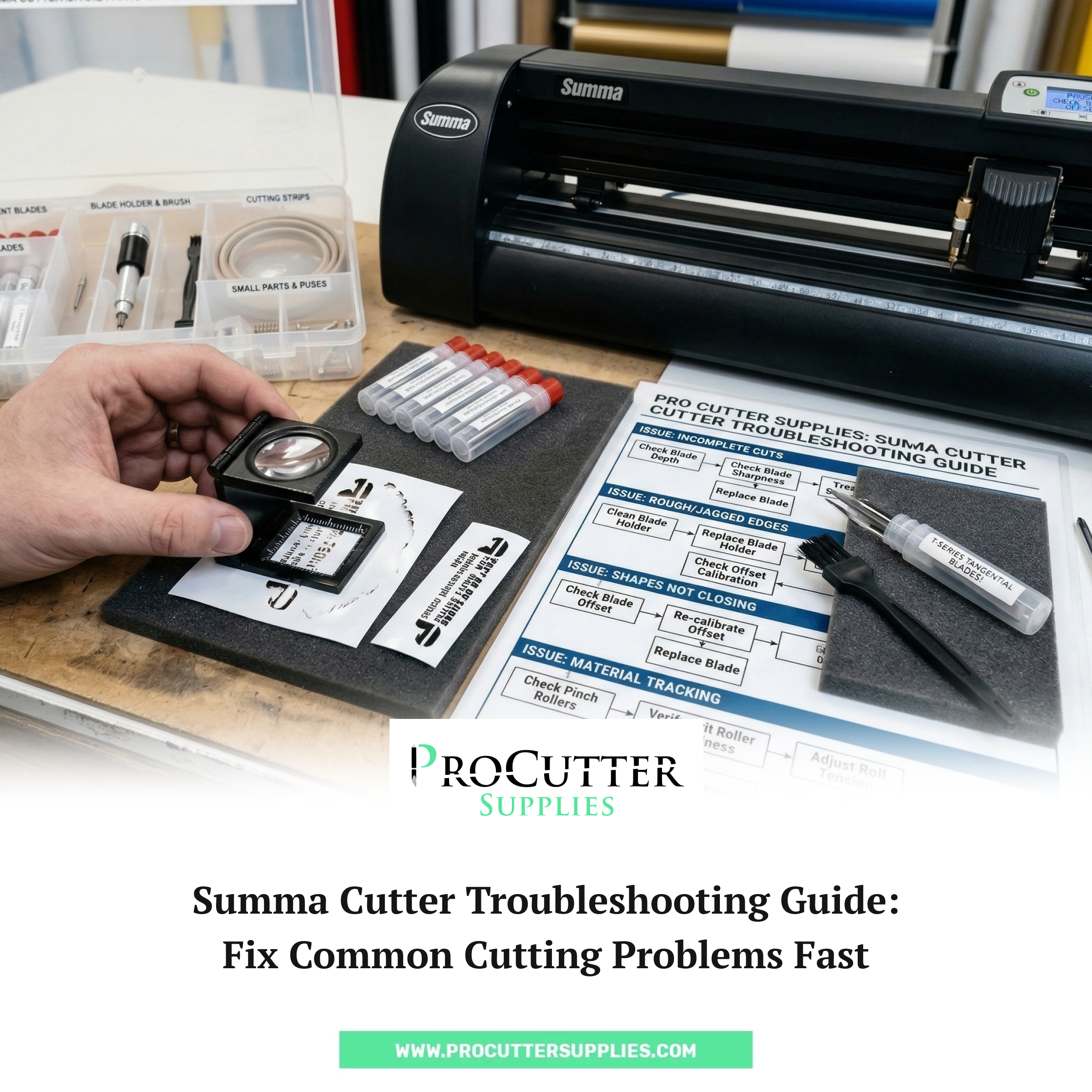
Anyone who works regularly with a vinyl cutter knows that perfect cuts don’t happen by accident. When everything is set correctly, a Summa cutter can produce extremely precise work,clean edges, accurate shapes, and smooth weeding. But occasionally something changes. A job that usually runs without problems suddenly starts producing cuts that don’t look quite right.
For many operators, the first reaction is concern that something serious has gone wrong with the machine. In reality, most cutting issues come down to very small details. A blade might be worn, the holder may need cleaning, or a simple setting could be slightly off.
Understanding these small issues makes troubleshooting much easier. Instead of stopping production for hours, you can usually fix the problem in a few minutes and get back to work.
Start by Checking the Blade
When cutting quality begins to change, the blade is usually the first thing worth inspecting. Because the blade tip is constantly pressed against vinyl and other materials, it gradually loses sharpness over time.
This doesn’t always happen suddenly. At first, the difference may be subtle. You might notice that small letters are harder to weed or that corners don’t look quite as crisp as they normally do.
As the blade continues to dull, the problem becomes more noticeable. Vinyl may remain partially attached to the backing sheet, or shapes might look slightly distorted.
In many cases, replacing the blade immediately solves the issue. Most shops that use Summa cutters keep spare blades close to the machine so they can change them without interrupting production.
Compatible Summa cutter blades can be found here:
https://procuttersupplies.com/collections/summa-cutter-blades
Having replacements ready means you never have to delay work while waiting for parts to arrive.
When Edges Look Rough or Uneven
Another issue that occasionally appears is rough or jagged edges along the cut path. Instead of clean lines, the vinyl may look slightly torn or dragged.
This often happens when the blade is unable to rotate smoothly inside the holder. Dust particles, vinyl fragments, or adhesive residue can slowly accumulate inside the holder during regular use.
When that buildup interferes with the blade’s movement, the cutter loses some of its precision.
Removing the blade holder and cleaning it carefully can sometimes restore normal performance. However, if the holder itself has worn down over time, replacing it may be the better solution.
Replacement blade holders and accessories designed for Summa cutters are available at:
Keeping an extra holder available can save time when diagnosing cutting issues.
Vinyl Not Cutting All the Way Through
Incomplete cuts are another common frustration. The design may look correct on screen, but after cutting, parts of the vinyl remain attached where they should have separated cleanly.
There are a few possible reasons for this. The most common is simply a dull blade. Once the edge begins to wear down, it struggles to cut through the vinyl layer consistently.
Blade depth can also play a role. If the blade is set too shallow, it may not reach the vinyl completely.
Adjusting blade depth slightly,or installing a fresh blade,usually resolves the issue quickly.
Many experienced operators prefer to replace blades sooner rather than later because it maintains consistent cutting quality across every job.
When the Blade Cuts Too Deep
While incomplete cuts are frustrating, the opposite problem can also occur. Sometimes the blade cuts completely through both the vinyl and the backing paper.
This usually indicates that blade depth or cutting pressure is set too high.
Although increasing pressure might seem like a quick solution for dull blades, it can actually cause additional problems. Excessive force wears down cutting strips faster and can leave deep grooves beneath the cutting path.
Reducing blade depth and adjusting pressure settings generally solves the problem.
If the cutting strip has already developed noticeable grooves, replacing it can restore a smooth cutting surface.
Many operators keep spare cutting strips available so they can replace them whenever wear becomes visible.
Material Tracking Problems
Tracking issues tend to appear during longer cutting jobs. The design may start correctly, but further along the cut path the shapes appear slightly stretched or misaligned.
This usually happens when the material shifts while feeding through the cutter.
Checking the position of pinch rollers is the first step. They should sit directly above the grit rollers to maintain proper grip on the vinyl. If the rollers are misaligned, the material may move unevenly during cutting.
It’s also worth checking that the vinyl roll itself is feeding smoothly and not pulling against the machine.
A quick adjustment to roller placement often resolves tracking issues immediately.
Shapes That Don’t Close Properly
Another problem that sometimes appears involves shapes or letters that don’t close perfectly. The start and end points of the cut may be slightly offset, leaving a small gap.
This usually relates to blade offset settings within the cutter software. Offset helps the machine compensate for the shape of the blade when it changes direction.
If the setting isn’t correct, the cutter may overshoot or stop slightly short during corners.
Adjusting the blade offset value typically fixes the issue. Installing a fresh blade can also improve accuracy if the existing one has begun to wear.
Preventing Most Cutting Problems
The easiest way to deal with cutter issues is to prevent them from appearing in the first place.
Regular maintenance takes very little time but can make a significant difference in performance. Cleaning blade holders occasionally, checking blade sharpness, and making sure materials are loaded correctly all help keep the machine operating smoothly.
Keeping spare replacement parts available is equally important.
Many professionals rely on suppliers like Pro Cutter Supplies to maintain a steady supply of Summa-compatible blades and accessories. Having these components readily available ensures that small issues never turn into long production delays.
Their full range of cutter parts can be found here:
Final Thoughts
Even though Summa cutters are known for their reliability, occasional cutting issues are inevitable when machines are used regularly. Fortunately, most problems have simple explanations and straightforward solutions.
By learning how to recognize common signs, such as dull blades, worn cutting strips, or incorrect pressure settings,you can resolve issues quickly and keep production running without unnecessary interruptions.
With regular maintenance and a small supply of replacement parts nearby, your Summa cutter will continue delivering the precision and consistency it was designed for.