
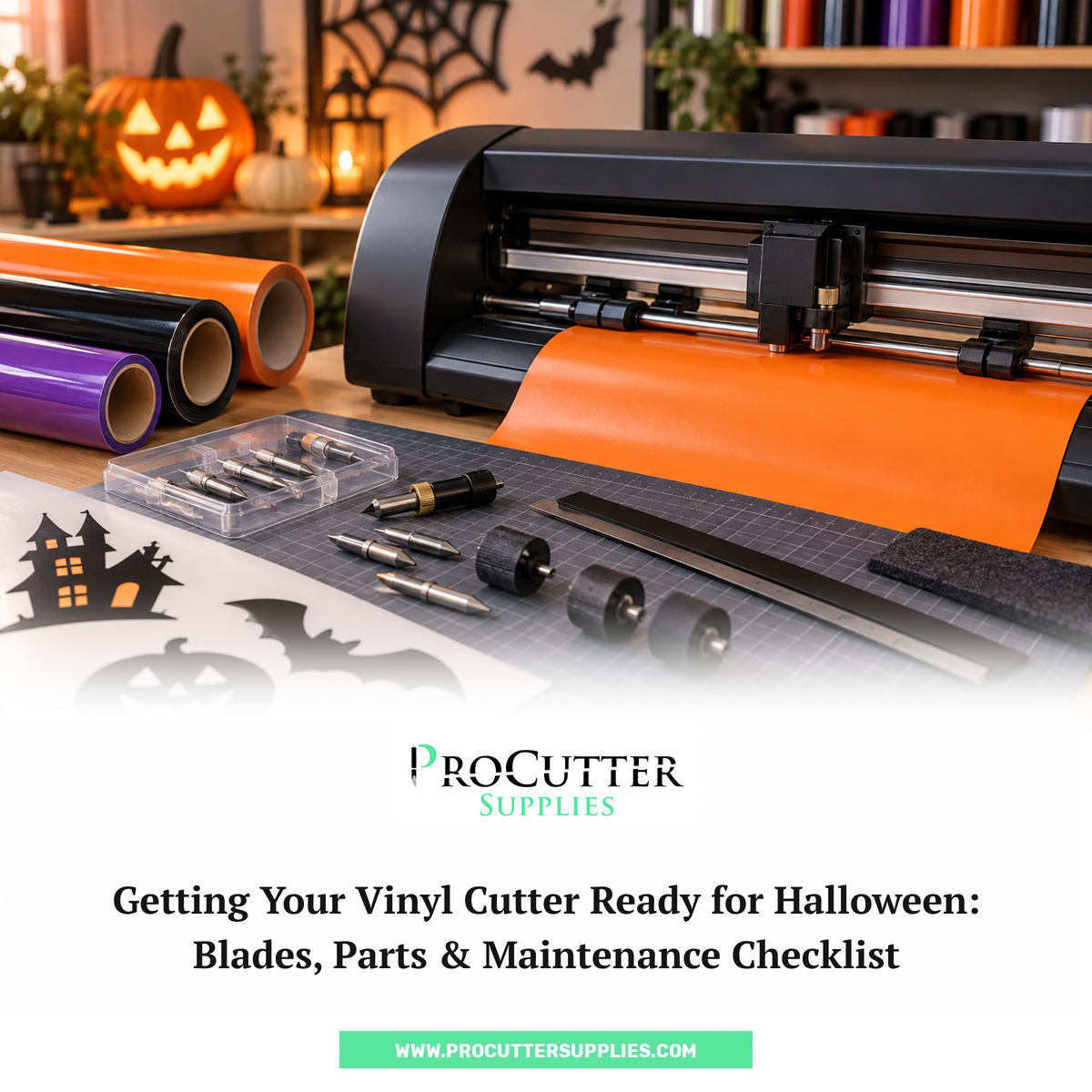
Halloween can get surprisingly busy for sign shops, print businesses, and anyone working with a vinyl cutter.
One week you might be handling a few regular decals. The next, you could be cutting Halloween window graphics, spooky signs, lettering, event decorations, stencils, and last-minute customer orders.
And when orders start piling up, the last thing you need is a vinyl cutter that suddenly starts making rough cuts or refuses to cut properly.
A worn blade, damaged cutting strip, dirty roller, or missing replacement part can bring a job to a stop at the worst possible time.
So, before the Halloween rush really gets going, give your cutter a quick check.
This Halloween vinyl cutter checklist covers the main parts you should inspect, the supplies worth keeping on hand, and a few simple maintenance steps that can help keep your machine ready for busy cutting days.
Why Prepare Your Vinyl Cutter Before Halloween?
Halloween sign making often means more work in less time.
Depending on the customers you serve, you may be cutting:
- Halloween window decals
- Storefront lettering
- Event signs
- Directional signs
- Wall graphics
- Vehicle graphics
- Stencils
- Custom lettering
- Promotional displays
- Repeated decals for businesses and events
More cutting also means more wear on the parts of your machine that come into regular contact with vinyl.
That includes the blade, cutting strip, pinch rollers, and other wear parts.
You don't need to completely service your cutter every time Halloween comes around. But spending a little time checking these parts now can help you avoid a frustrating problem when you have a deadline to meet.
1. Start With the Blade
Let's start with the part doing most of the cutting: the blade.
If you've been using the same blade for a while, check how it is performing before taking on a large batch of Halloween work.
A worn or damaged blade can cause problems such as:
- Vinyl not cutting completely
- Rough or uneven edges
- Small letters not cutting properly
- Corners lifting or tearing
- Weeding becoming more difficult
- Cuts becoming inconsistent
You may not always notice blade wear immediately. Sometimes the first sign is simply that a job that normally weeds easily suddenly becomes a pain.
Before starting your Halloween vinyl cutting jobs, inspect the blade and run a small test cut.
If the blade has been used heavily or is showing signs of wear, consider replacing it before the busy season starts.
You can also keep a few vinyl cutter blades as backups so you're not waiting for a replacement when an urgent job comes in.
Using a Summa Cutter?
If you're using a Summa cutter, make sure you're choosing a blade that matches your specific machine and application.
ProCutter Supplies carries a range of Summa cutter blades, including different blade types for Summa cutting systems.
Don't choose a replacement blade just because it looks similar to the one currently installed. Check the cutter model, blade type, angle, and the material you're planning to cut.
2. Check the Cutting Strip
The cutting strip is another part that's easy to forget about.
You may think about replacing the blade regularly, but the cutting strip can stay in place for much longer. That doesn't mean it should be ignored.
Take a look at the strip where the blade makes contact with the cutting surface.
Look for:
- Deep grooves
- Cuts or damage
- Uneven wear
- Areas with repeated blade marks
- Sections that look noticeably worn
A damaged cutting strip can affect cutting performance and may also contribute to unnecessary blade wear.
If you notice significant damage, replace it before starting a large Halloween order.
ProCutter Supplies offers a Summa cutting strip replacement designed to fit Summa vinyl cutters.
It's a small part, but having a spare available can save you a lot of trouble when you're in the middle of a busy production day.
3. Inspect the Pinch Rollers
Your vinyl needs to move through the cutter smoothly.
That's where pinch rollers come in.
If the rollers are worn, dirty, or not holding the material properly, you can run into tracking problems. And when vinyl starts moving out of position during a long cut, the result can be wasted material and a wasted afternoon.
Before Halloween jobs start coming in heavily, check the rollers for:
- Visible wear
- Cracks or damage
- Dirt or buildup
- Poor grip
- Uneven pressure
Also make sure the rollers are positioned correctly for the material you're using.
If you notice that the media isn't feeding consistently, don't immediately assume the blade is the problem. The roller setup may be worth checking too.
You can find Summa cutter accessories and replacement parts for different cutter maintenance and replacement needs.
4. Take a Look at the Blade Holder
Sometimes a cutting problem isn't caused by the blade.
The blade holder deserves a quick inspection too.
Check that:
- The blade is seated correctly
- The holder is clean
- There is no visible damage
- The blade is moving as it should
- The holder matches your cutter and blade setup
If you've installed a new blade but the cutting problem is still there, the blade holder is one of the things worth checking.
A properly fitted blade and holder work together. If one isn't sitting correctly, even a brand-new blade may not give you the results you expect.
5. Clean Around the Cutting Area
You don't need to spend your entire day cleaning the machine.
A simple cleanup can be enough to remove scraps, dust, adhesive buildup, and other debris that may interfere with cutting.
Pay attention to areas where small pieces of vinyl tend to collect.
Before cleaning or servicing your cutter, follow the manufacturer's instructions for your particular model.
Also, don't use random cleaning products or lubricants just because they're sitting nearby. If the manufacturer recommends a particular cleaning or maintenance method, stick with it.
Good vinyl cutter maintenance is mostly about staying consistent rather than waiting until something goes wrong.
6. Check How Your Vinyl Is Feeding
Halloween jobs aren't always small.
You could be cutting a small batch of decals one minute and a long storefront graphic the next.
Before running a large job, make sure your vinyl is feeding correctly.
Check that:
- The roll is positioned properly
- The media is loaded straight
- Pinch rollers are positioned correctly
- The roll has enough room to move
- Nothing is rubbing against the cutter
- The vinyl isn't getting caught or pulled sideways
Run the material through the cutter if necessary and watch how it moves.
A small alignment problem at the beginning of a long job can turn into a much bigger problem several feet into the cut.
7. Keep Replacement Supplies Ready
Here's a simple rule for the busy season:
Don't wait until something breaks before ordering the replacement.
If Halloween is an important part of your business, check your stock of commonly used parts and consumables before the orders start coming in.
Depending on your cutter and workload, you may want to keep:
- Replacement blades
- Cutting strips
- Blade holders
- Pinch rollers
- Cut-off knives
- Other commonly used replacement parts
Having a few essential vinyl cutting supplies on hand can make a big difference when you're working against a customer deadline.
You don't need to buy every replacement part available.
Just keep the items you use regularly or the parts that would be difficult to replace quickly.
8. Run a Test Cut Before a Large Halloween Job
This one is easy to skip when you're busy.
Don't.
If you're about to start a large Halloween sign, run a small test cut first.
Ideally, use the same or similar vinyl that you'll be using for the actual job.
Check:
- Cut depth
- Small lettering
- Corners
- Curves
- Fine details
- Weeding
- Material movement
- Overall cut quality
A five-minute test can save you from wasting an entire roll of vinyl.
It's also a good way to spot problems after installing a new blade or making adjustments to the cutter.
9. Give Your Summa Cutter a Quick Maintenance Check
If you use a Summa cutter regularly, Halloween is a good excuse to look at the machine as a whole instead of only checking the blade.
A basic Summa cutter maintenance check can include:
- Blade condition
- Blade holder
- Cutting strip
- Pinch rollers
- Media setup
- General cleanliness
- Other commonly replaced wear parts
You don't necessarily need to replace every component.
The goal is simply to identify anything that looks worn, damaged, dirty, or likely to cause problems during a busy production period.
If you need genuine Summa replacement parts, ProCutter Supplies carries a range of Summa parts and accessories for different cutter systems.
10. Build a Small Halloween Cutter Emergency Kit
Want to make busy Halloween weeks a little less stressful?
Put together a small backup kit and keep it somewhere close to your cutter.
It could include:
☐ Spare vinyl cutter blades
☐ Extra cutting strip
☐ Spare blade holder
☐ Basic cleaning supplies
☐ Extra media handling parts if needed
☐ Cut-off knife or replacement blades
☐ Test vinyl
☐ Manufacturer-recommended maintenance supplies
You don't need a giant box full of parts.
Think about the problems you've actually experienced with your cutter and keep the parts that would help you deal with those problems quickly.
Halloween Vinyl Cutter Maintenance Checklist
Before the Halloween rush begins, run through this quick checklist.
Blade
☐ Inspect the current blade
☐ Look for wear or damage
☐ Confirm the blade is right for your material
☐ Keep replacement blades available
Cutting Area
☐ Inspect the cutting strip
☐ Remove vinyl scraps and debris
☐ Look for deep grooves or damage
Rollers & Media
☐ Inspect pinch rollers
☐ Check for dirt or wear
☐ Make sure the media feeds straight
☐ Check that the roll is positioned correctly
Blade Holder
☐ Check the holder for damage
☐ Make sure the blade is seated correctly
☐ Confirm the holder is suitable for your cutter
Test Cut
☐ Run a small test cut
☐ Check small lettering
☐ Check corners and curves
☐ Make sure the vinyl weeds cleanly
Spare Parts
☐ Replacement blades
☐ Cutting strip
☐ Blade holder
☐ Other frequently used cutter parts
Don't Let a Small Cutter Problem Ruin a Halloween Deadline
Halloween sign making can get busy very quickly.
The good news is that getting your cutter ready doesn't have to be complicated.
Check the blade. Look at the cutting strip. Inspect the rollers and blade holder. Make sure your vinyl is feeding properly. Run a test cut before starting a large order.
Most importantly, don't wait until your cutter stops working properly to start looking for replacement parts.
A few spare Summa cutter blades or other commonly used parts sitting on the shelf can be worth having when you're dealing with a last-minute Halloween order.
Do your Halloween vinyl cutter check before the rush begins, keep your essential vinyl cutting supplies ready, and you'll have one less thing to worry about when those Halloween orders start coming in.
Frequently Asked Questions
How do I prepare my vinyl cutter for Halloween sign making?
Before starting your Halloween orders, check the blade, blade holder, cutting strip, pinch rollers, and media setup. Clean the cutting area, make sure your vinyl feeds correctly, and run a small test cut before starting a large job.
How do I know if my vinyl cutter blade needs replacing?
If your vinyl isn't cutting completely, small lettering is difficult to weed, corners look rough, or the material starts tearing, the blade may be worn. A quick test cut can help you decide if it's time for a replacement.
What should I keep as spare parts for Halloween vinyl cutting?
It's useful to keep commonly needed parts such as Summa cutter blades, a cutting strip, blade holder, and pinch rollers available. The right spares depend on your cutter model and how heavily you use it.
How often should I perform vinyl cutter maintenance?
There isn't one schedule that works for every cutter. Check the machine regularly, especially before periods when you'll be handling a lot of orders. Inspect wear parts, remove vinyl scraps and debris, and follow the manufacturer's maintenance recommendations.
Can a worn cutting strip affect vinyl cutting?
Yes. A cutting strip with deep grooves or visible damage can affect cutting performance and may contribute to blade wear. Check the strip before a busy Halloween production period and replace it if it is significantly worn.
What blades should I use for a Summa vinyl cutter?
The correct blade depends on your Summa cutter model, blade type, and the material you're cutting. ProCutter Supplies carries different Summa vinyl cutter blades, so check your machine specifications before choosing a replacement.